Operations professional. Independent builder.

Hi, I’m Rob. I build things people can use.
Nexbit is where I share the projects I’m building. Some start with an idea I’ve had for a while. Others start with someone asking, “Could you make this?” If you’ve used one of my apps and wondered who’s behind it, you’re in the right place.
How I build
How I build
I work in operations. When a tool is missing or broken, I build it. I’m not a developer, and I don’t write the code myself. I take the product manager’s seat: I define the problem, set the priorities, and decide what ships.
AI writes the code, and it’s very good at it. I bring what years of operations work teach you: how things break on a busy day, what people actually need, and what has to be safe before anything ships. Safety, security and privacy get decided on day one, not added at the end, and I test on real setups, not just the easy case.
Then I ship it, watch how it gets used, and simplify. I write down the trade-offs so a decision never looks like an accident. Here’s where they went.
Project 01 · Web app
Expense Tracker
Built for my brother, now shared with you. Record expenses, set budgets and goals, and keep track of shared spending with family, roommates, or a group. You enter what you want to track; it doesn’t connect to your bank account.
Visit the appProject 02 · Chrome extension
Sidebit
A Chrome side panel that keeps your notes beside what you’re doing. Organize tasks in separate note tabs, save highlights and screenshots, keep reusable snippets, and set reminders. Your notes are stored locally in your browser.
Project 03 · Windows app
Calendar Reminder
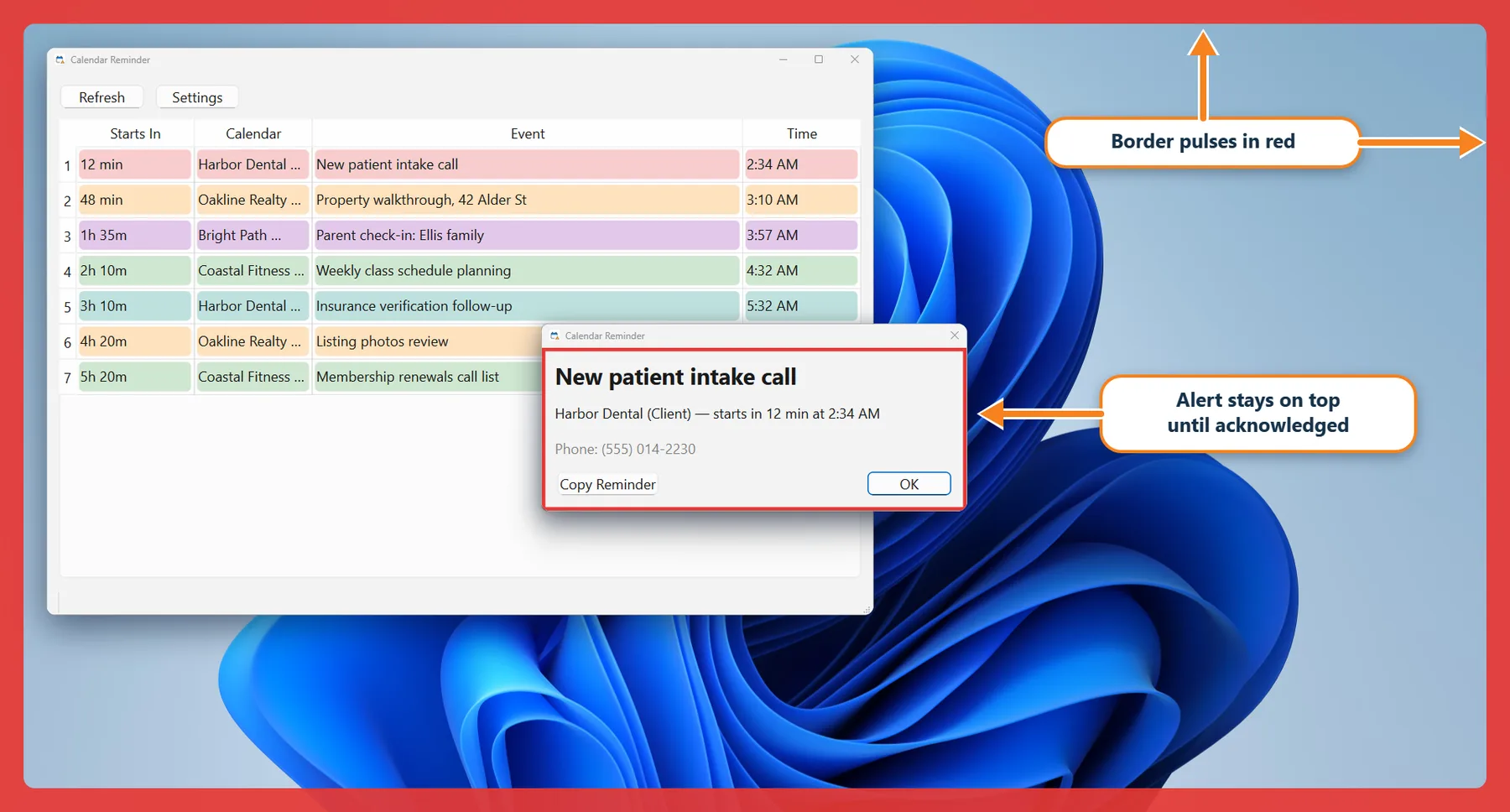
Busy days bury reminders. Calendar Reminder watches the Google Calendars you choose, shared ones included, and lists what’s coming up with a countdown for each event. When one is close, an alert stays on top of your other windows until you acknowledge it, so it can’t get lost behind everything else you have open.
It’s a Windows app and it isn’t available to download. If you’re curious about it, or would like to look at the code, get in touch and we can talk.
Get in touch